Fernando Santos, PhD
Technical Writer · Software Documentation
Github
·
LinkedIn
·
CV
Summary
I’m a Technical Writer specializing in Software Documentation. I work with researchers and engineers to design, develop and document software, tools, and workflows.
This portfolio includes examples of my work in:
- Open-source documentation. I have designed and written tutorials, how-to guides, technical references, and explanations for a YAML package for MATLAB, using a Docs-as-Code workflow and the Diátaxis framework.
- Research software development. I developed and documented OneModel, a Python-based SBML modeling tool used in peer-reviewed academic research and published on PyPI.
- Educational initiatives. I have designed and delivered hands-on workshops on Python–MATLAB interoperability and software development best practices. I am also the author of a personal blog on creativity and knowledge work.
I’ve also contributed to projects that cannot be publicly showcased, including the development and documentation of software tools for private bioindustry companies and research that has not yet been published, such as a standard for representing state-space models.
Work samples
Documentation of YAML package for MATLAB
Software Documentation · Open-Source Contribution
Date: 2026
Tools: reStructuredText · Sphinx · Git · GitHub · Read the Docs · Diatáxis
Audience: MATLAB users
Problem
Much of my experience in technical documentation comes from projects carried out for private companies or from research that has not yet been published, which limits my ability to include complete and up-to-date samples in a public portfolio.
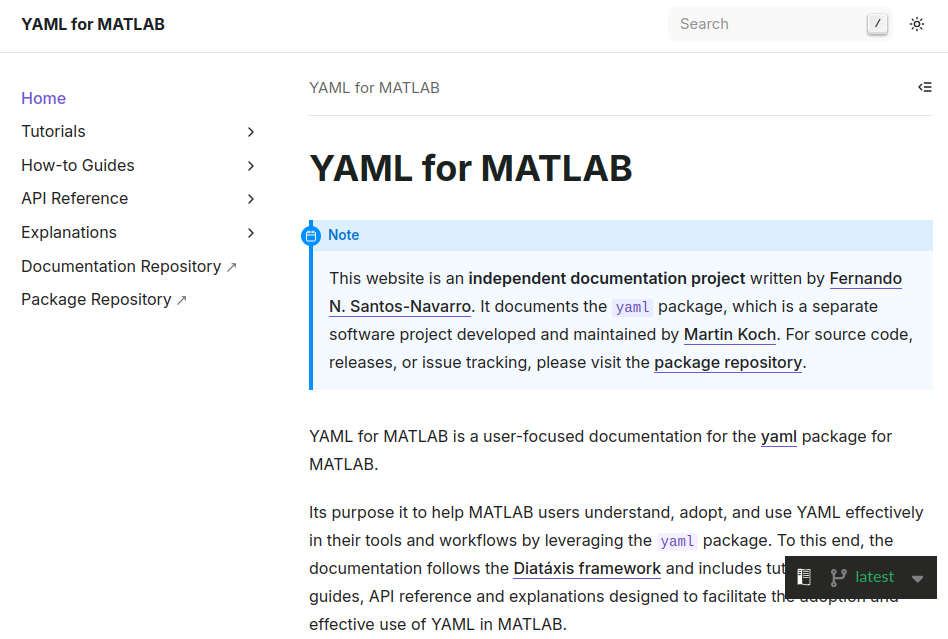
To overcome this limitation, I decided to document an open-source third-party YAML package for MATLAB. This package enables reading and writing YAML files in MATLAB, a feature that is not supported natively.
This project served two purposes:
- to create a modern, publicly accessible work sample
- to promote the adoption of YAML in MATLAB by providing clear, well-structured, and practical documentation for users.
Solution
Initially, the YAML package provided a README with usage examples and MATLAB-style docstrings for its public functions.
My approach focused on expanding and restructuring the documentation using the Diátaxis framework. To achieve this, I designed and authored the following content:
- A new tutorial. A hands-on walkthrough about styling MATLAB plots using YAML.
- A new how-to guide. A guide on maintaining YAML configurations without code duplication.
- An updated API reference. A revised and expanded reference of the package’s public API.
- An new explanation. An explanation to clarify the different roles of YAML files and MAT-files in MATLAB workflows.
The ultimate goal of the documentation was to encourage users to adopt YAML-based workflows by leveraging the YAML package.
To support this goal, I created a separate repository, YAML for MATLAB, dedicated exclusively on documentation. It explicity references the original YAML repository but does not include its source code. This separation made it possible to produce more comprehensive, user-focused documentation without being constrained by the scope or structure of the original project.
The documentation is built with Sphinx and published on Read the Docs. I also set up a reproducible documentation environment to facilitate future updates and encourage community contributions.
Results
- Expanded and restructured the documentation using the Diátaxis framework.
- Established a reproducible, Sphinx-based documentation environment to enable collaboration and long-term maintenance.
- Deployed the documentation on Read the Docs with automated builds.
- Supported and encouraged broader adoption of YAML-based workflows within the MATLAB ecosystem.
Links to samples
OneModel: An open-source SBML modeling tool
Software Development · Software Documentation · Open-Source Contribution
Date: 2022
Tools: Python · TatSu · SBML · Click · Sphinx · Pytest · Git · GitHub · Poetry
Audience: Academic researchers
  flowchart LR

    subgraph **Modular development**
        one_file_1[.one file]@{ shape: lin-doc}
        one_file_2[.one file]@{ shape: lin-doc}
        one_file_3[.one file]@{ shape: lin-doc}
    end

    OneModel[**OneModel**]

    subgraph **End-format export**
        direction LR
        sbml_file[SBML <br> document]@{ shape: lin-doc}
    end

    one_file_2 & one_file_3 --> one_file_1
    one_file_1 --> OneModel --> sbml_file
Problem
During my PhD, a central part of my research consisted of developing mathematical models and their corresponding software implementations. Initially, I followed the standard practice in the control engineering community: building monolithic models in MATLAB without relying on external libraries. This approach worked well for small models, but was not scalable once I began working with more complex systems, such as multi-scale models to represent industrial bioproduction processes.
As the size and complexity of the models increased, development times grew significantly, maintenance became progressively more difficult, and the risk of introducing human errors rose considerably.
I evaluated several existing modeling tools — including Simulink, Simscape, and OpenModelica — but found them too rigid and prone to vendor lock-in. Given these limitations, I proposed to my PhD advisor the development of a new tool, OneModel, specifically designed to support incremental, modular model construction.
Solution
OneModel is a Python package for building mathematical models of bioprocesses using the SBML standard. It provides a domain-specific language (DSL) that supports incremental and modular model construction, making models easier to extend, maintain, reuse, and combine over time. Once a model is defined using the DSL, OneModel generates an SBML document that can be imported into MATLAB via a companion subpackage I also developed, SBML2dae.
The fundamental principle behind OneModel was to minimize code written from scratch, reducing both development and documentation effort. To achieve this, the project leverages well-established community libraries and tools:
- TatSu to define and parse the DSL
- SBML as the standard for representing bioprocess models
- libSBML to generate SBML documents
- Click to build the command-line interface
- PyQt5 to build the graphical user interface
- Sphinx and Read the Docs to write and publish documentation
- Poetry for dependency management, virtual environment setup, and package publication
- Pytest to implement test-driven development.
OneModel was developed collaboratively, with continuous iterations driven by feedback from my thesis advisor, research team, and both master’s and PhD students. This iterative process allowed the DSL and supporting tools to evolve in response to real-world research needs, resulting in a practical and user-friendly software solution.
Results
- Enabled the incremental and modular creation of complex SBML models, significantly improving reproducibility, maintainability, and reliability.
- Presented OneModel at academic conferences and workshops, including IWBDA and iGEM, receiving highly positive feedback from international researchers.
- Facilitated the development of multiscale models that served as the basis for multiple publications in my laboratory and with external collaborators.
- Received recognition during my PhD defense for delivering a complete, well-documented, and published software tool with demonstrable impact on research productivity and quality.
Links to samples
Workshop on Python-MATLAB interoperability for research teams
Workshop Designer and Presenter
Date: 2024
Tools: Python · Jupyter Notebook · MATLAB · Mermaid · Pandoc · Markdown · LaTeX
Audience: Academic researchers
  flowchart TD
    subgraph **Python**
    P2[Process data using <br> a Python package]
    end

    subgraph **CSV files**
    D1[(Raw data exported <br> from MATLAB)]
    D2[(Processed data <br> from Python)]
    end

    subgraph **MATLAB**
    P1[Run core analsys <br> in MATLAB]
    P3[Continue analsys <br> in MATLAB]
    end

    P1 --> D1
    D1 --> P2
    P2 --> D2
    D2 --> P3
Problem
My research group was facing a technical bottleneck. Although its members had deep expertise in MATLAB, they were increasingly disconnected from the broader scientific community, where many state-of-the-art tools are developed and released exclusively in Python.
This led to two main issues:
- Wasted effort. Researchers often had to reimplement existing Python packages in MATLAB.
- Opportunity cost. Sticking to a single environment (whether Python or MATLAB) meant losing access to tools available in the other.
The goal of this project was to demostrate that Python–MATLAB interoperability can be achieved in a simple and practical way, without building complex software or workflows.
Solution
I designed and hosted a hands-on workshop that avoided complex software engineering in favor of a practical, file-based workflow. During the workshop, I demostrated how CSV files can serve as a bridge between MATLAB and Python, enabling researches to:
- Perform their core analysis in MATLAB.
- Export data to a CSV file.
- Process that data in Python (via Jupyter Notebooks) to leverage specific packages.
- Import the results back into their familiar MATLAB environment.
The workshop was structured using the Workshop Survival Guide method to ensure it was valuable, engaging, and accessible to all participants. I created the workshop slides using LaTeX, Pandoc, and Mermaid, resulting in a polished and high-quality presentation.
Results
The workshop was delivered as part of an internal lab seminar and was also open to external researchers. It was attended by 30+ researchers and produced immediate, tangible results:
- 100% Success rate. Every participant completed the end-to-end workflow during the session.
- Cultural shift. The most significant outcome was a change in mindset: researchers who were previously Python skeptics began to see it as a useful and accesible tool rather than a waste of time.
- Lowered barriers. By prioritizing simplicity (CSV files) over complexity, I reduced the fear factor of learning a new language and workflow.
- Future-proofing. The workshop laid the conceptual groundwork for a new lab standard for representing state-space models.
Links to samples
- Slides in PDF
· Raw file
Selection of slides presenting the core argument for Python–MATLAB interoperability.
Personal blog on productivity, creativity, and writing
Author · Web Developer
Date: 2022 – Present
Tools: Zettelkasten · Markdown · Git · GitHub · Hugo · Cloudflare Pages · HTML · CSS
Audience: General public interested in creativity and knowledge work
Problem
As a knowledge professional, the value I create through my work is directly tied to how well I master these two skills:
- Writing to think.
Using writing as a tool for reasoning and sense-making. - Writing to communicate.
Using writing to express ideas clearly and effectively to others.
With this in mind, I started a personal writing project aimed at deliberately practicing and improving them.
The main challenge was identifying a project that could support sustained, high-quality writing practice while minimizing common sources of friction and distraction, such as complex tools, excessive planning, or external performance pressure. The goal was to create a simple, efficient structure that allowed me to devote most of my effort to the writing itself.
Solution
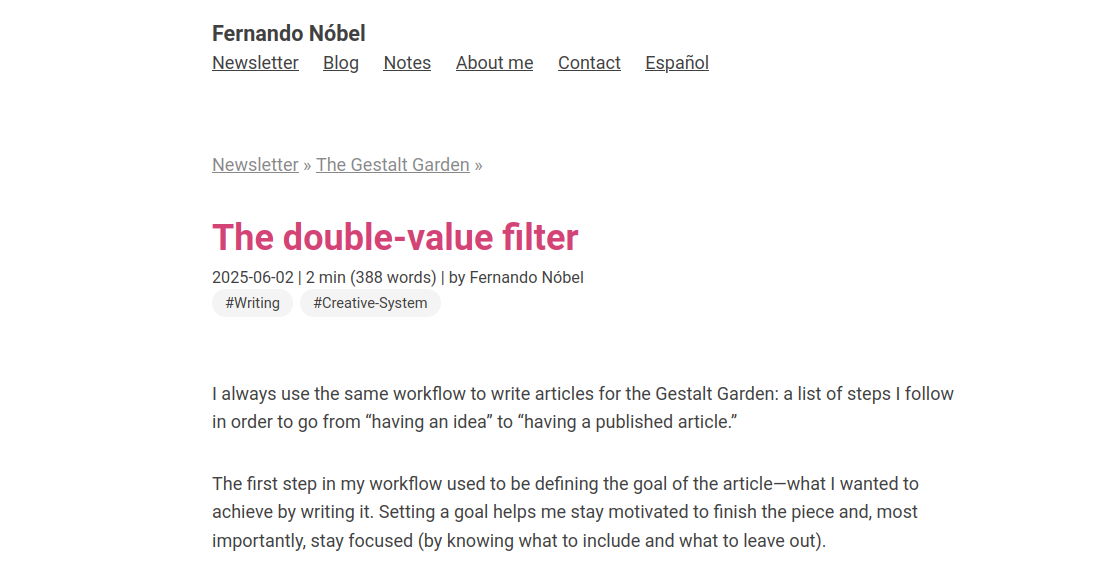
I chose to create a personal blog focused on long-form articles about productivity, creativity, and writing. This choice offered several advantages: it provided a recurring reason to practice writing, allowed me to gather feedback through reader responses and engagement metrics, connected directly to my own development as a knowledge worker, and enabled me to contribute to the knowledge-work community.
I approached the project from two independent angles: the writing system and the website development.
The writing system. I adopted an iterative, deliberate, and experimental approach, focusing at each stage on identifying skill bottlenecks and improving them explicitly.
My resulting writing system combines:
- The Zettelkasten method, providing a foundation for rigorous research, incremental development of complex ideas, and a clear distinction between writing to think and writing to communicate.
- A custom toolbox of templates, outlines, guides, and other knowledge tools, designed to support each phase of the writing process: ideation, structuring, drafting, and editing.
- A mindset oriented toward sustainable, high-quality knowledge work.
This approach made it possible: to continually improve clarity of my thinking as a prerequisite for clear writing, and to learn how to produce content that is valuable for an audience.
The website development. In parallel, I designed a minimalist, efficient, and scalable website focused on readability, functionality, and a distraction-free reading experience. The site was developed iteratively, with writing and publishing needs guiding technical decisions. For each new need, I prioritized essential features to avoid overengineering.
Key technical decisions included:
- Use a Docs-as-Code workflow.
- Use Hugo as a static site generator.
- Implement continuous deployment using Git, GitHub, and Cloudflare Pages.
- Support multilingual content (Spanish and English).
Results
The outcome is a sustainable, steadily growing project that serves as a personal laboratory for continuous improvement:
- An efficient writing and publishing workflow.
- A scalable and maintainable website.
- 70+ published articles, including 24 in English.
- 70,000+ words of long-form content, excluding notes and other materials.
- A newsletter with 400+ subscribers, with recurring positive feedback.
- Readers frequently highlight the clarity, depth, and practical value of the content.
Beyond its external impact, the project has achieved its primary goal: sustainably improving my skills in thinking, writing, and systems design. It also stands as a practical expression of my ongoing commitment to using writing as a tool to think more clearly and communicate more effectively.
Links to samples
About this portfolio
This portfolio is, in itself, a work sample :-)
It was built using Hugo, version-controlled with Git, hosted on GitHub Pages, and styled with the Hugo ʕ•ᴥ•ʔ Bear theme (which I have customized in both style and functionality to better suit a portfolio format).
The complete source code is publicly available on GitHub, so others can explore the implementation details, reuse components, or use it as a starting point for their own portfolio sites.